How to Fix AION 2 Crashing on PC
Troubleshoot AION 2 crashing to desktop, freezing, or closing on Windows: file verification, drivers, overlays, and logs.
By Kudu Team · Reviewed
Game Mode
Apply gaming tweaks you can undo
Kudu’s Game Mode applies supported Windows gaming tweaks and records how to restore them. It does not promise FPS gains; drivers and in-game settings still matter.
Download Kudu Free →How Game Mode worksWhat Causes This?
AION 2 runs on Unreal Engine 5 and is PC-only on Steam, so crashes often come down to corrupted game files, shader compilation problems, overlay conflicts, or driver issues during scene loading and large battles. New UE5 releases can also be sensitive to unstable graphics settings, especially if upscaling, frame generation, or aggressive overclocks are involved.
More generally, crashing to desktop or freezing on Windows can be caused by outdated GPU drivers, damaged DirectX or Visual C++ components, background apps hooking into the game, anti-cheat failures, or Windows system file corruption.
Common Symptoms
- AION 2 closes to desktop on launch or after the splash screen.
- The game freezes during character select, zone loading, or large faction fights.
- Crashes happen after changing graphics settings or enabling overlays.
- Steam shows the game as running, but no game window appears.
- You get repeated anti-cheat or access-related launch errors before the game opens.
How to Fix It Manually
-
Verify AION 2 in Steam Open Steam > Library > AION 2 > Properties > Installed Files > Verify integrity of game files. This checks for missing or corrupted files and is the first thing to do after a crash loop or failed patch. Steam’s official help covers file verification: https://help.steampowered.com/
-
Lower unstable graphics options and undo recent changes If the game opens, switch to a lower preset, disable ray tracing or frame generation if you enabled them, and test in borderless or fullscreen if one mode keeps crashing. UE5 games often crash during shader compilation or heavy effects loads, so reducing settings can help confirm whether the issue is graphics-related.
-
Disable overlays and capture tools Turn off the Steam Overlay for AION 2 from Properties > General and close other overlays such as Discord, GeForce Experience, Radeon software recording, MSI Afterburner, or RivaTuner Statistics Server. Overlay hooks are a common cause of launch crashes, black screens, and instant closes.
-
Clear the GPU shader cache Corrupted shader caches can cause repeated crashes after updates or driver changes. Use Windows Disk Cleanup or your GPU vendor’s recommended method to clear shader cache, then launch the game again so shaders can rebuild. See vendor guidance here:
- NVIDIA support: https://nvidia.custhelp.com/
- AMD support: https://www.amd.com/en/support
- Intel support: https://www.intel.com/content/www/us/en/support.html
-
Check anti-cheat and security software If AION 2 uses an anti-cheat component, let Steam finish installing it and restart the PC once. Then make sure Windows Security or any third-party antivirus is not blocking the game folder, Steam, or the anti-cheat service. Do not replace anti-cheat files with unofficial versions.
-
Update or clean-install your GPU driver Install the latest stable driver directly from NVIDIA, AMD, or Intel. If crashes started right after a driver update, try a clean install option if your vendor provides one, or roll back to the previous stable driver. Official driver pages:
-
Repair Windows system files Open Command Prompt as Administrator and run:
sfc /scannowDISM /Online /Cleanup-Image /RestoreHealth
Microsoft documents both tools here: https://support.microsoft.com/windows/use-the-system-file-checker-tool-to-repair-missing-or-corrupted-system-files
-
Check Event Viewer and Steam crash context If the game still crashes, open Event Viewer > Windows Logs > Application and look for an Error entry at the time of the crash. Note the faulting module name if one appears. Also check whether the crash only happens with one character, one zone, or after alt-tabbing, because that pattern helps narrow it down to content, settings, or overlay conflicts.
Where Kudu Helps
Kudu can help you rule out common PC-side causes without guessing. Use System Cleaner to clear supported GPU shader caches, Performance Monitor to spot background apps or memory-heavy processes while AION 2 is running, and Startup Manager to disable non-essential launchers and overlay tools that may be interfering.
Kudu also includes Game Mode on Windows for supported gaming-related tweaks, with a record of how to restore them later. It will not promise better FPS, but it can help you test a cleaner gaming setup.
Frequently asked questions
- Why does AION 2 crash on startup on Steam?
- The most common causes are corrupted game files, overlay conflicts, anti-cheat startup problems, or a GPU driver issue. Start with Steam file verification, then disable overlays and update your graphics driver.
- Can shader cache cause AION 2 to crash?
- Yes. After a game patch or driver change, a bad shader cache can cause crashes, stutter, or freezes during loading. Clearing the GPU shader cache forces it to rebuild cleanly.
- Should I reinstall AION 2 if it keeps crashing?
- Only after you try file verification, overlays, shader cache cleanup, and driver checks first. A full reinstall takes longer and often does not fix crashes caused by drivers, anti-cheat, or background software.
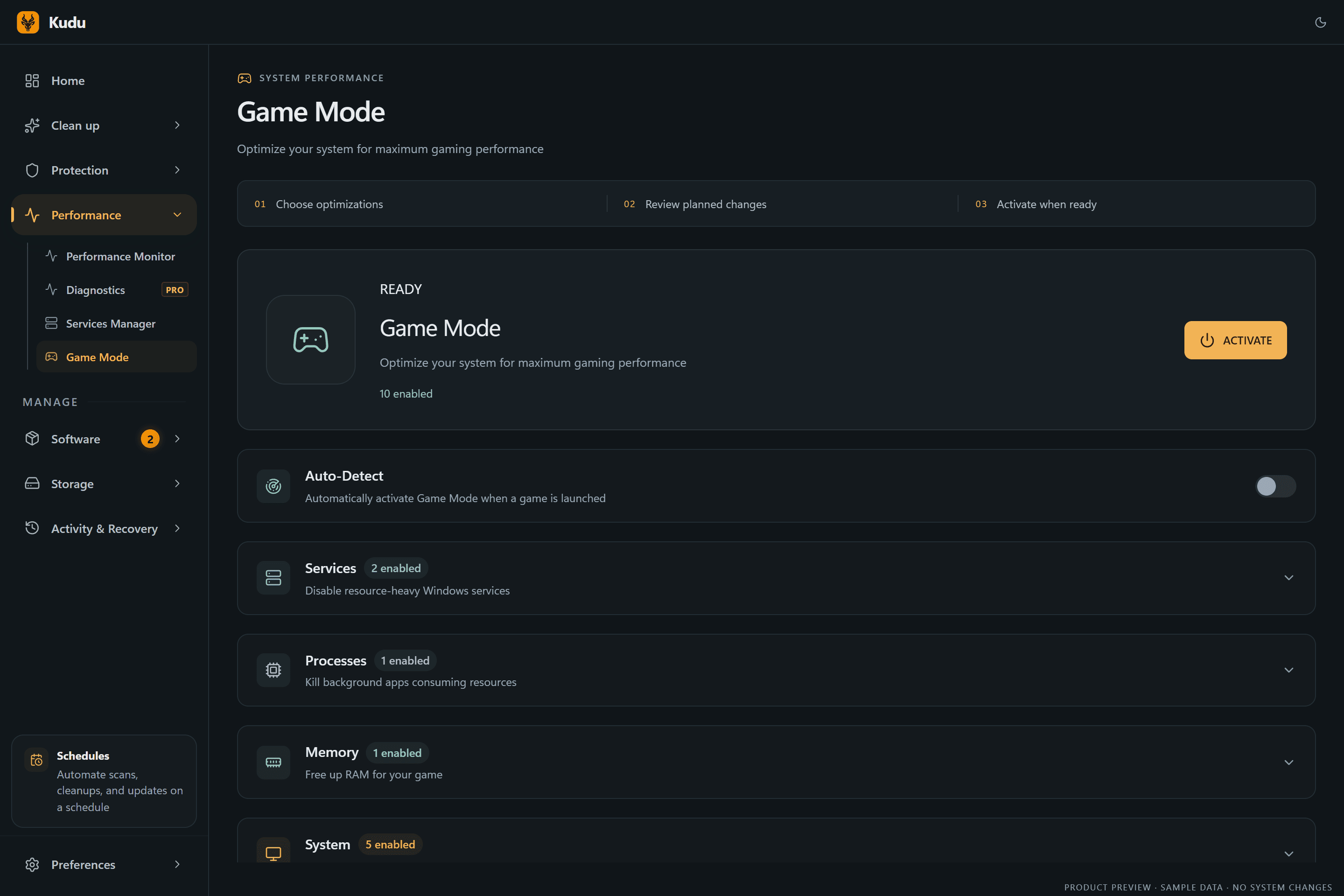
Game Mode
Apply gaming tweaks you can undo
Kudu’s Game Mode applies supported Windows gaming tweaks and records how to restore them. It does not promise FPS gains; drivers and in-game settings still matter.
Download Kudu Free →How Game Mode worksRelated guides
How to Fix AION 2 Stuttering and FPS Drops on PC
Reduce stutter, frame drops, and hitching in AION 2 on Windows with driver, shader cache, background app, and in-game settings checks.
How to Fix Apex Legends™ Crashing on PC
Troubleshoot Apex Legends™ crashing to desktop, freezing, or closing on Windows: file verification, drivers, overlays, and logs.
How to Fix ARC Raiders Crashing on PC
Troubleshoot ARC Raiders crashing to desktop, freezing, or closing on Windows: file verification, drivers, overlays, and logs.
How to Fix Counter-Strike 2 Crashing on PC
Troubleshoot Counter-Strike 2 crashing to desktop, freezing, or closing on Windows: file verification, drivers, overlays, and logs.