Make your computer feel new again.
Kudu clears out junk, tightens your privacy, and keeps your apps up to date across 25+ tools for Windows, macOS, and Linux. Free and open source. No ads, no bundled software, no nagging.
Free forever · No account needed · Windows 10/11, macOS 12+, Linux
- downloads
- 4.5M+
- downloads
- GitHub stars
- 4K
- GitHub stars
- languages
- 30
- languages
- open source
- MIT
- open source

Space recovered
0.0 GB
Browser caches · temp files · shader caches
System health
0 / 100
Privacy Shield
- Advertising ID off
- Copilot & Recall off
- Telemetry minimised
Software updates
7 apps brought up to date
Cleaner coverage
168 apps. 15 browsers. Even your AI tools.
Kudu knows where apps hide their caches, logs, and crash dumps, from browsers and game launchers to Claude, Cursor, and Docker. Rules are plain JSON that anyone can review or contribute to.
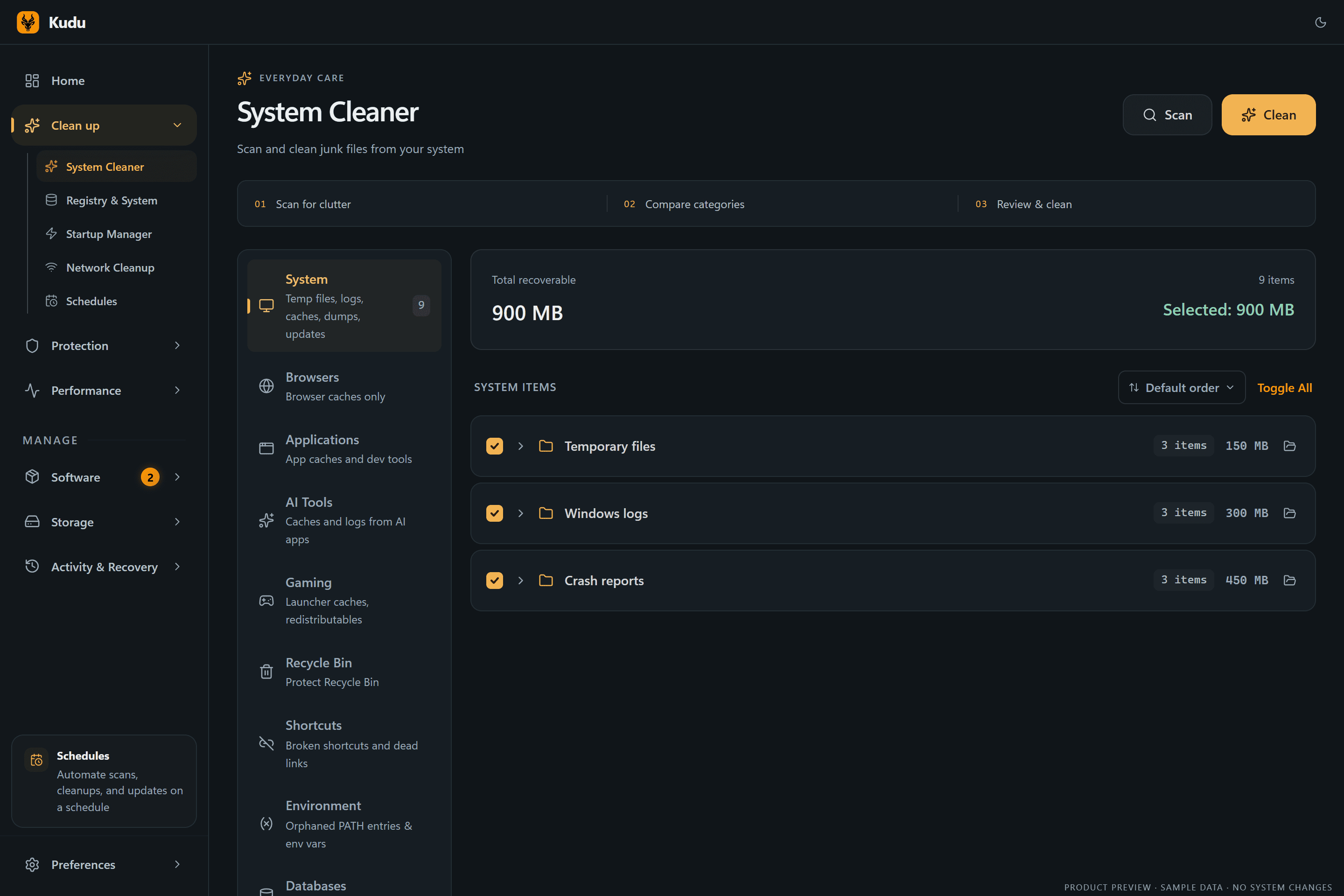
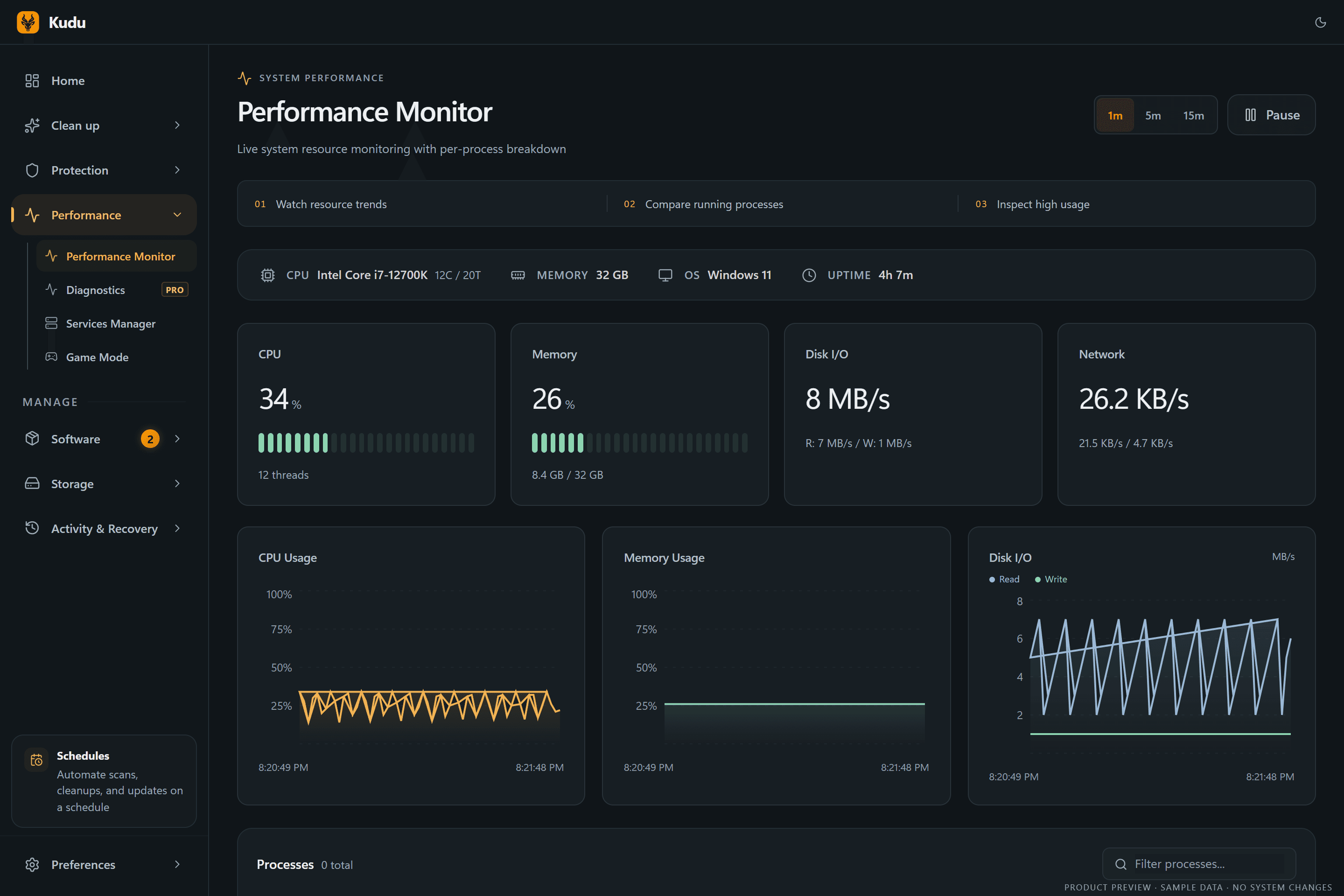
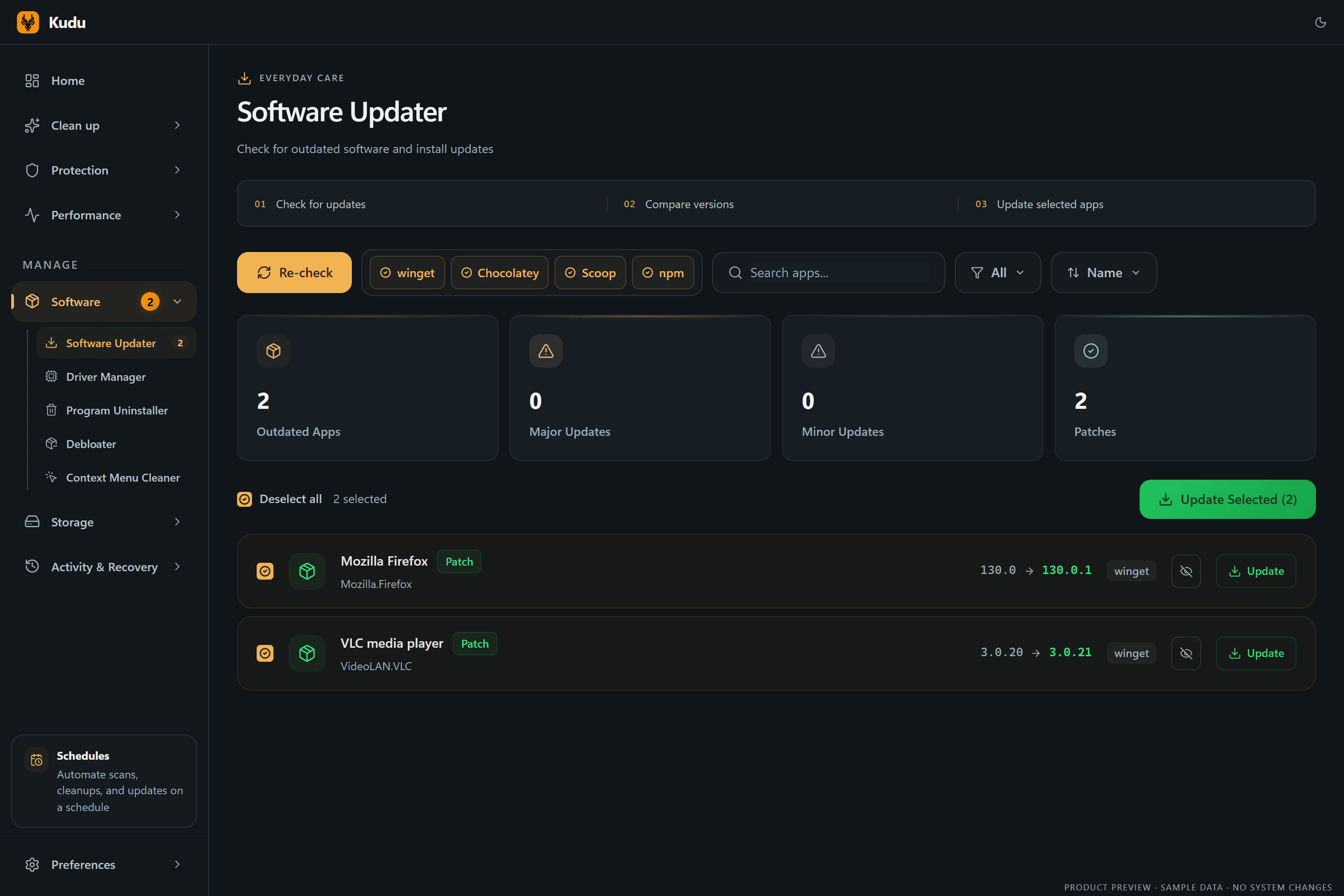
Deep cleaning, live monitoring, and real privacy controls.
Every tool shows you what it found and what it will change before anything happens. Here are a few favourites.



25+ tools, one free app
Replace a drawer full of utilities.
Cleaning, privacy, performance, updates, and storage in one native-feeling app. Kudu shows you what it will change before it changes it.
- Win · Mac · Linux
System Cleaner
Preview, exclude, then clean with a receipt
- Win · Mac · Linux
Privacy TracesNew
Shell history and OS activity traces
- Win · Mac · Linux
Program Uninstaller
Removes leftovers, protects shared parts
- Win · Mac · Linux
Network Cleanup
DNS cache and stale Wi-Fi profiles
- Windows
Registry Cleaner
Backed up first, restorable later
- Windows
Debloater
112 known OEM and AppX packages
- Windows
Context Menu Cleaner
Tidy right-click clutter
- Win · Mac · Linux
Privacy Shield
57 Windows and 33 macOS settings, reversible
- Win · Mac · Linux
Malware Scanner
YARA, heuristics, persistence checks
- Windows
Firewall Audit
Find broad, orphaned, unsigned rules
- Cloud
Breach & threat alerts
With Kudu Cloud
- Win · Mac · Linux
Performance Monitor
Live CPU, RAM, disk, network, S.M.A.R.T.
- Win · Mac · Linux
Startup Manager
Impact-ranked boot items
- Win · Mac · Linux
Services Manager
Safety guidance for ~70 services
- Windows
Game Mode
18 tweaks, all restored when you stop
- Cloud
AI Diagnostics
Record a slowdown, get an analysis
- Win · Mac · Linux
Software Updater
winget, Homebrew, apt, dnf, pacman
- Windows
Driver Updates
Update, ignore, and clean old packages
- Windows
Windows Repair
SFC, DISM, and WinRE checks
- Win · Mac · Linux
Disk Analyzer
Interactive treemap and file types
- Win · Mac · Linux
Duplicate Finder
Always keeps one copy
- Win · Mac · Linux
Large Files & Empty Folders
Hunt down the heavy stuff
- Win · Mac · Linux
File Shredder
Overwrite before delete
- Win · Mac · Linux
Storage History
Snapshots that show growth over time
- Win · Mac · Linux
Scheduler
Idle, on AC power, in a window, or not while gaming
- Windows
Recovery Centre
Restore supported settings and registry backups
- Win · Mac · Linux
Cleanup Receipts
What was removed, skipped, or failed
- Win · Mac · Linux
Command line
JSON output, exit codes, Prometheus metrics
New since Kudu 3.0
A clearer picture of your PC.
Start with a simple home view, or switch to Advanced for more detail. Then follow changes from the first scan to the final result.
Cleanup Receipts
See what was selected, removed, skipped, or failed after a cleanup, with a clear record of the result.

Storage History
Track folder growth over time, compare snapshots, and catch storage changes before your drive fills up.

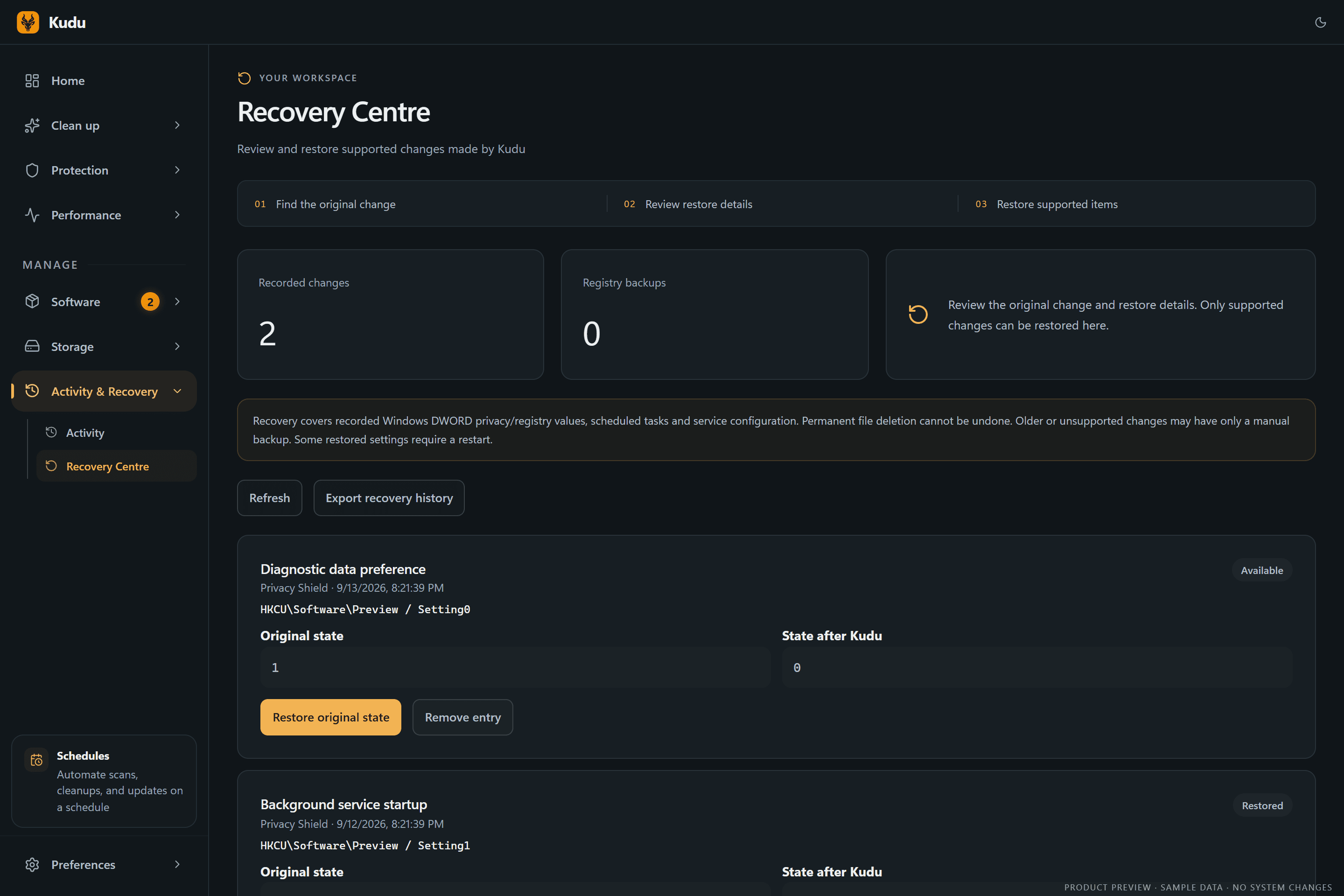
Recovery Centre
Find supported recovery records in one place, inspect what changed, and restore eligible settings when you need to.
Performance Diagnostics
Record a slow moment, inspect the timeline, and request an AI analysis to help investigate what happened.

Kudu 3.0 screenshots · Dark theme · Illustrative sample data
Explore all desktop features →Private by design
Your computer. Your data. Your call.
- Runs on your machine
- Scans and cleanups happen locally. Nothing leaves your computer unless you choose to link Kudu Cloud.
- Open source, MIT licensed
- Every line is public on GitHub. Cleaner rules are readable JSON, not a black box.
- Scanned before it ships
- Each release links its VirusTotal results in the release notes, so you can check before you install.
- Review first, undo later
- Preview every cleanup, keep exclusions, and restore supported settings from the Recovery Centre.
Built for power users, too
Script it with --json, schedule it with cron, or scrape it with Prometheus. Illustrative output.
winget install AdventDevelopmentInc.KuduTrusted by the tech press.
Reviewers across the web have put Kudu through its paces. Here's what they found.
“Kudu is a modern take on system maintenance. The program goes very in-depth when it comes to cleanup and system maintenance tasks, as evidenced by its well-rounded toolset. Despite the many options at your disposal, Kudu is not at all confusing to work with, making it a viable choice even for a less knowledgeable user.”
 Softpedia
“Kudu will help boost your system's performance and enhance security, reclaim valuable disk space by pinpointing and eliminating unnecessary files.”
 MajorGeeks
“After testing Kudu across two Windows 11 machines over several days, we found it to be one of the most trustworthy free maintenance tools available in 2026.”
 Techno360
“Kudu makes a very strong impression. The interface is clean, the tools are numerous and well thought out, the privacy policy is transparent, and the business model is sound. On paper, it's exactly what many users have been looking for as an alternative to CCleaner.”
 JustGeek
Backed by friends of open source.
Kudu is free and open source. Our sponsors help keep development moving and the desktop app free for everyone.


| Compare features | Kudu | CCleaner | Avast Cleanup |
|---|---|---|---|
| Pricing & Licensing | |||
| Price | Free | $29.95/yr | $39.99/yr |
| Open source | |||
| No ads or bundled software | |||
| Platform Support | |||
| Windows | |||
| macOS | |||
| Linux | |||
| Features | |||
| System cleaner | |||
| Browser cleaner | |||
| Registry cleaner | |||
| Malware scanner | |||
| Startup manager | |||
| Debloater | |||
| Driver manager | |||
| Privacy shield | |||
| Game mode (gaming optimizer) | |||
| Task scheduler | |||
| CLI mode | |||
| Remote monitoring & alerts | Optional | ||
| Pricing & Licensing | |
|---|---|
| Price | Free |
| Open source | |
| No ads or bundled software | |
| Platform Support | |
| Windows | |
| macOS | |
| Linux | |
| Features | |
| System cleaner | |
| Browser cleaner | |
| Registry cleaner | |
| Malware scanner | |
| Startup manager | |
| Debloater | |
| Driver manager | |
| Privacy shield | |
| Game mode (gaming optimizer) | |
| Task scheduler | |
| CLI mode | |
| Remote monitoring & alerts | Optional |
| Pricing & Licensing | |
|---|---|
| Price | $29.95/yr |
| Open source | |
| No ads or bundled software | |
| Platform Support | |
| Windows | |
| macOS | |
| Linux | |
| Features | |
| System cleaner | |
| Browser cleaner | |
| Registry cleaner | |
| Malware scanner | |
| Startup manager | |
| Debloater | |
| Driver manager | |
| Privacy shield | |
| Game mode (gaming optimizer) | |
| Task scheduler | |
| CLI mode | |
| Remote monitoring & alerts | |
| Pricing & Licensing | |
|---|---|
| Price | $39.99/yr |
| Open source | |
| No ads or bundled software | |
| Platform Support | |
| Windows | |
| macOS | |
| Linux | |
| Features | |
| System cleaner | |
| Browser cleaner | |
| Registry cleaner | |
| Malware scanner | |
| Startup manager | |
| Debloater | |
| Driver manager | |
| Privacy shield | |
| Game mode (gaming optimizer) | |
| Task scheduler | |
| CLI mode | |
| Remote monitoring & alerts | |
Frequently asked questions
Give your computer a fresh start.
Download Kudu free for Windows, macOS, or Linux. No account, no ads, no catch.