Keep your computer clean, private, and up to date.
Kudu is a free, open-source maintenance app for Windows, macOS, and Linux. It shows you every file before it deletes it, every setting before it changes it, and lets you undo the ones it can. No ads, no bundled software, no account.
5.2M downloads · 4.1K stars on GitHub · MIT licensed · 30 languages

Cleaner coverage
Knows where 168 apps and 15 browsers keep their caches.
Logs, crash dumps, and shader caches from browsers, game launchers, and dev tools, including AI apps like Claude and Cursor. Every rule is a plain JSON file you can read or improve on GitHub.
- Browsers
- Google Chrome
- Microsoft Edge
- Firefox
- Brave
- Arc
- Safari
- Opera GX
- Vivaldi
- Zen Browser
- AI tools
- Claude
- Cursor
- ChatGPT
- Codex
- GitHub Copilot
- Windsurf
- Gaming & GPU
- Steam
- NVIDIA Shader Cache
- Epic Games
- Battle.net
- Minecraft
- Riot Games
- Xbox App
- Roblox
- Developer caches
- VS Code
- Docker
- JetBrains IDEs
- Homebrew
- Cargo / Rust
- Gradle
- Everyday apps
- Discord
- Spotify
- Slack
- Microsoft Teams
- Zoom
- Adobe Creative Cloud
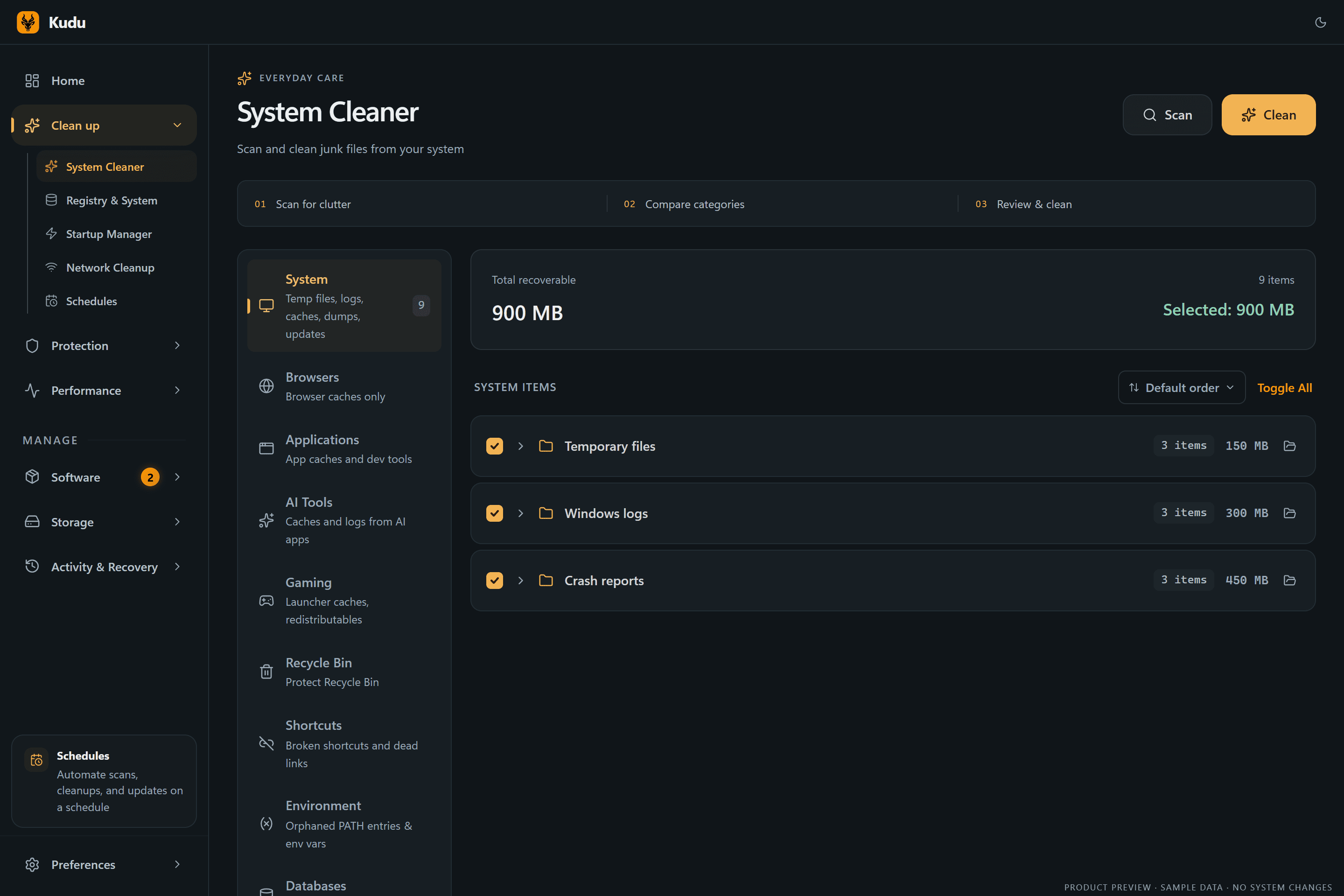
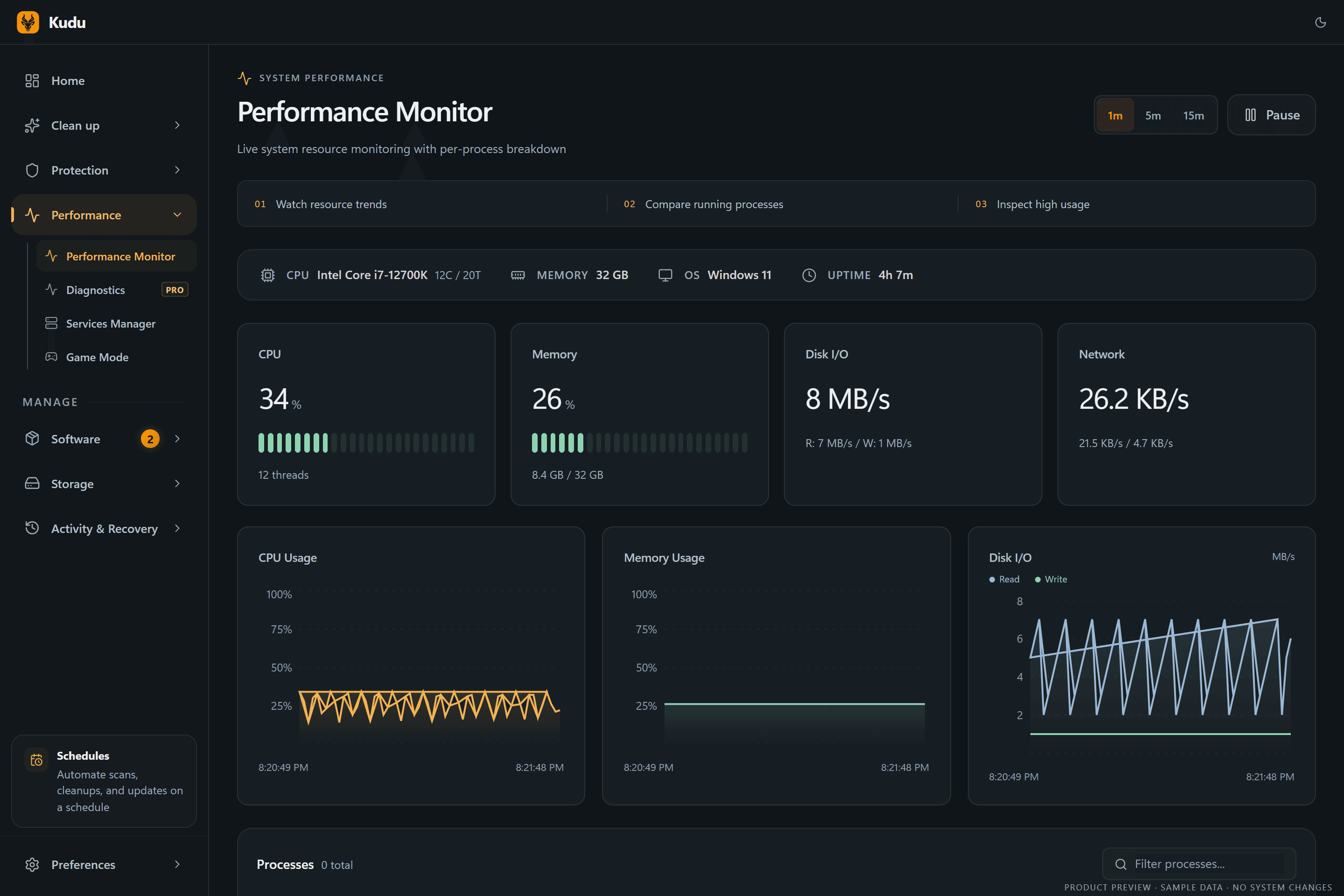
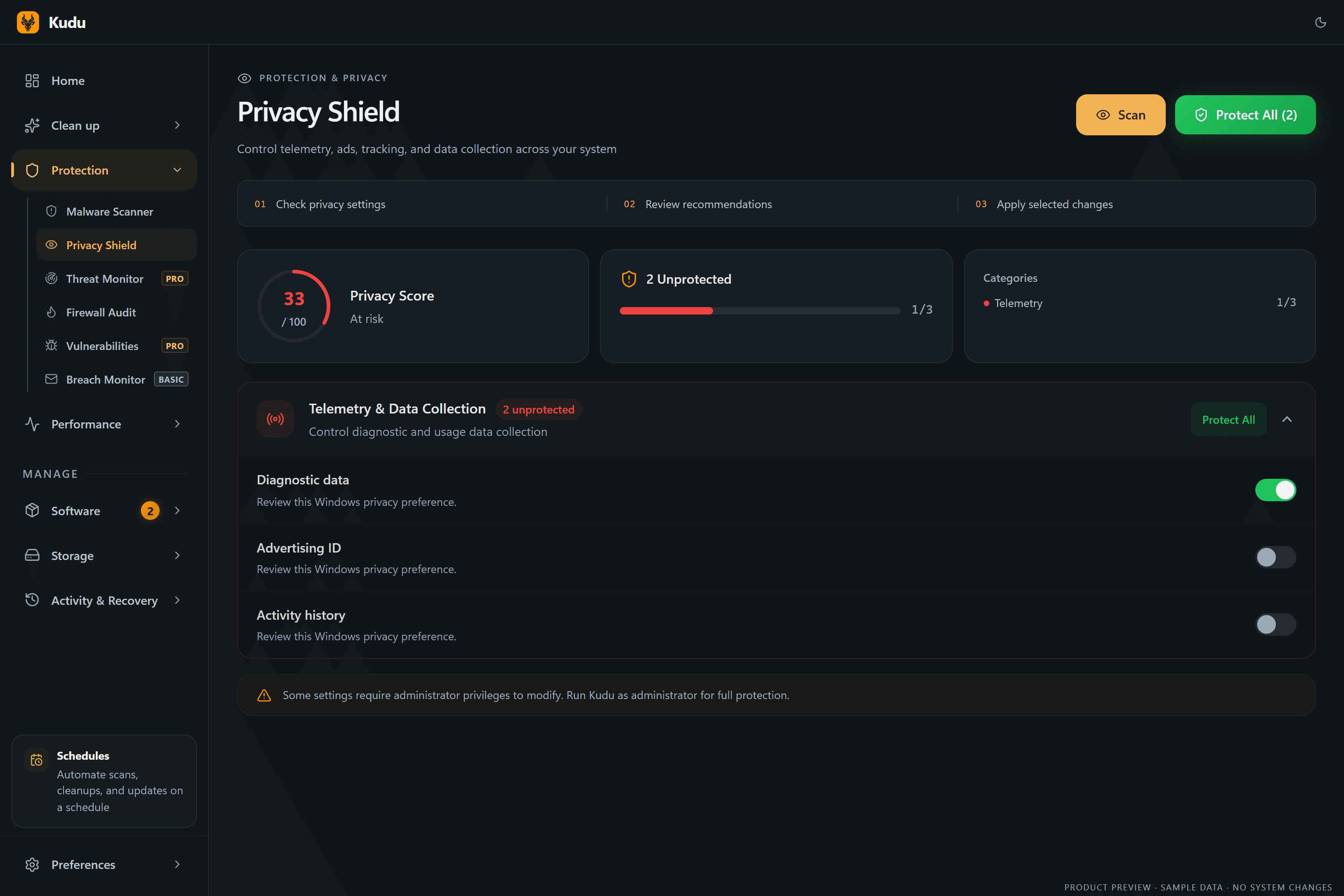
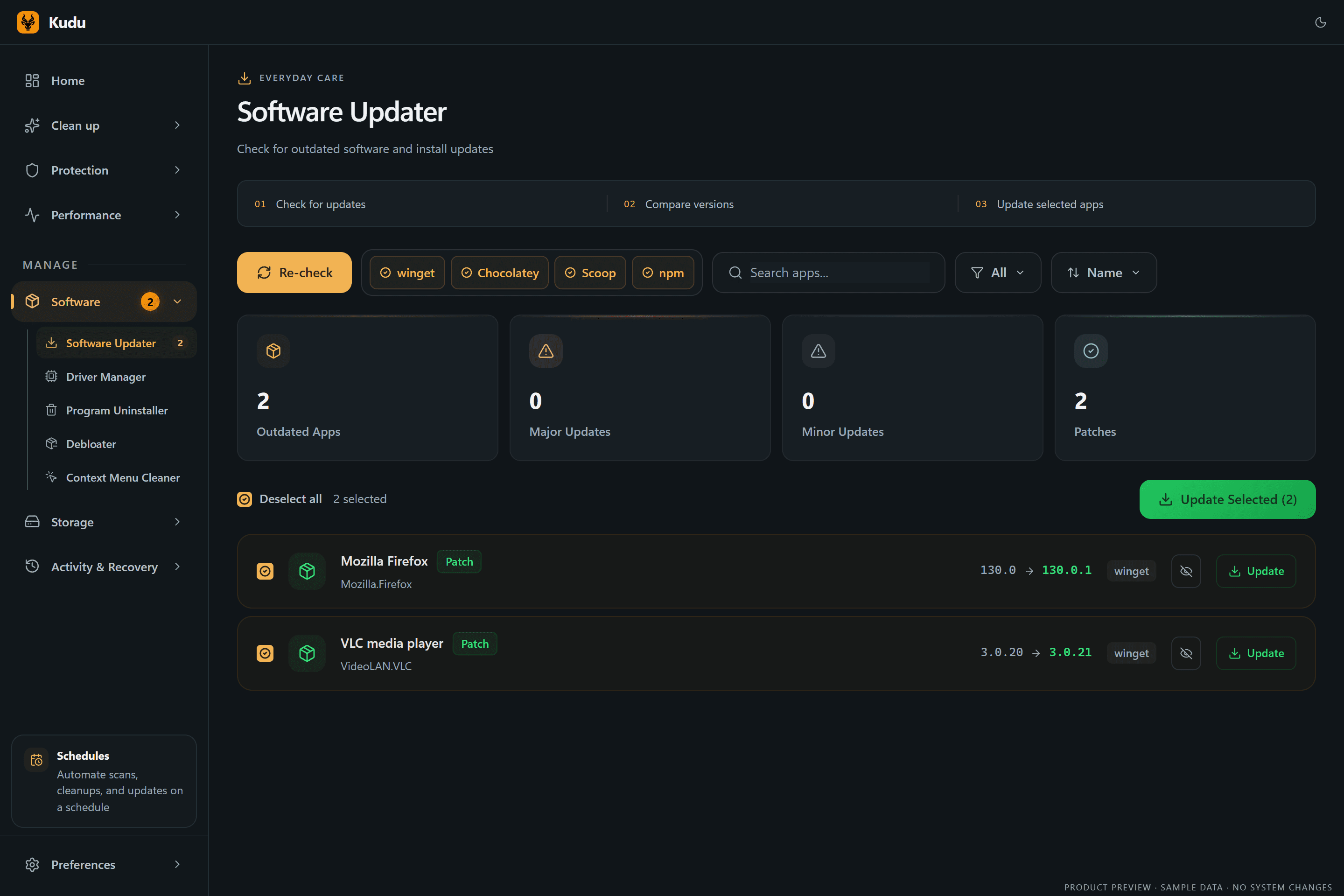
Six of the tools, up close.
Manual cleanups show what they found before anything is removed. Scheduled tasks run only under the conditions you set.


What’s in the app
25+ tools, grouped by the job you’re trying to do.
Most run on all three platforms. A few are Windows-only because the thing they fix only exists there.
Clean up
DetailsReclaim gigabytes without breaking anything.
- System CleanerWin Mac LinuxPreview, exclude, then clean with a receipt
- Privacy TracesnewWin Mac LinuxShell history and OS activity traces
- Program UninstallerWin Mac LinuxRemoves leftovers, protects shared parts
- Network CleanupWin Mac LinuxDNS cache and stale Wi-Fi profiles
- Registry CleanerWindowsBacked up first, restorable later
- DebloaterWindows112 known OEM and AppX packages
- Context Menu CleanerWindowsTidy right-click clutter
Protect
DetailsLock down privacy in one pass.
- Privacy ShieldWin Mac Linux57 Windows and 33 macOS settings, reversible
- Malware ScannerWin Mac LinuxYARA, heuristics, persistence checks
- Firewall AuditWindowsFind broad, orphaned, unsigned rules
- Breach & threat alertsCloudWith Kudu Cloud
Speed up
DetailsFind what is slowing you down.
- Performance MonitorWin Mac LinuxLive CPU, RAM, disk, network, S.M.A.R.T.
- Startup ManagerWin Mac LinuxImpact-ranked boot items
- Services ManagerWin Mac LinuxSafety guidance for ~70 services
- Game ModeWindows18 tweaks, all restored when you stop
- AI DiagnosticsCloudRecord a slowdown, get an analysis
Stay current
DetailsUpdate everything from one list.
- Software UpdaterWin Mac Linuxwinget, Homebrew, apt, dnf, pacman
- Driver UpdatesWindowsUpdate, ignore, and clean old packages
- Windows RepairWindowsSFC, DISM, and WinRE checks
Storage
DetailsSee exactly where space went.
- Disk AnalyzerWin Mac LinuxInteractive treemap and file types
- Duplicate FinderWin Mac LinuxAlways keeps one copy
- Large Files & Empty FoldersWin Mac LinuxHunt down the heavy stuff
- File ShredderWin Mac LinuxOverwrite before delete
- Storage HistoryWin Mac LinuxSnapshots that show growth over time
Automate & recover
DetailsSet it once. Undo when you need to.
- SchedulerWin Mac LinuxIdle, on AC power, in a window, or not while gaming
- Recovery CentreWindowsRestore supported settings and registry backups
- Cleanup ReceiptsWin Mac LinuxWhat was removed, skipped, or failed
- Command lineWin Mac LinuxJSON output, exit codes, Prometheus metrics
New in 3.0
See what changed, and change it back.
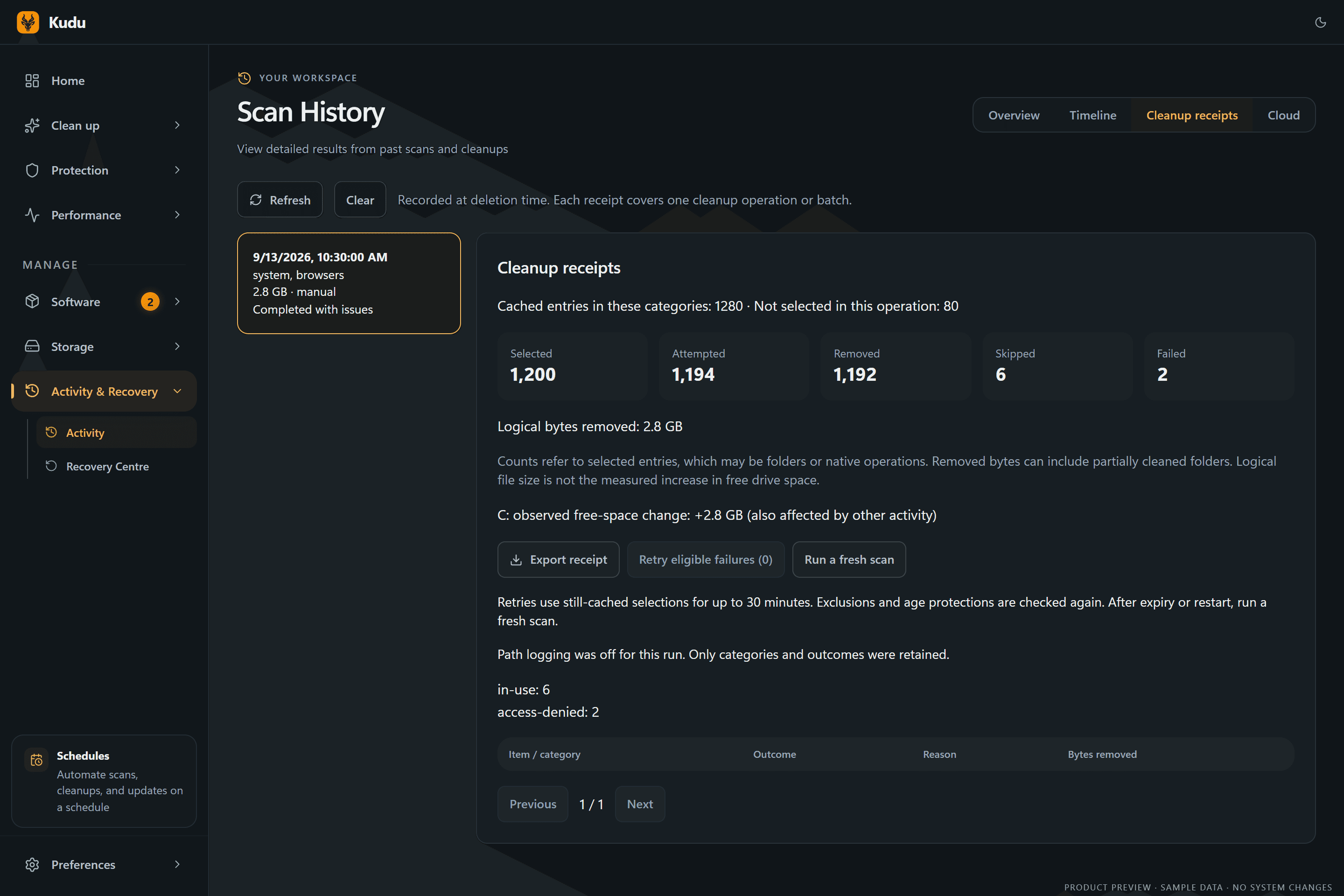
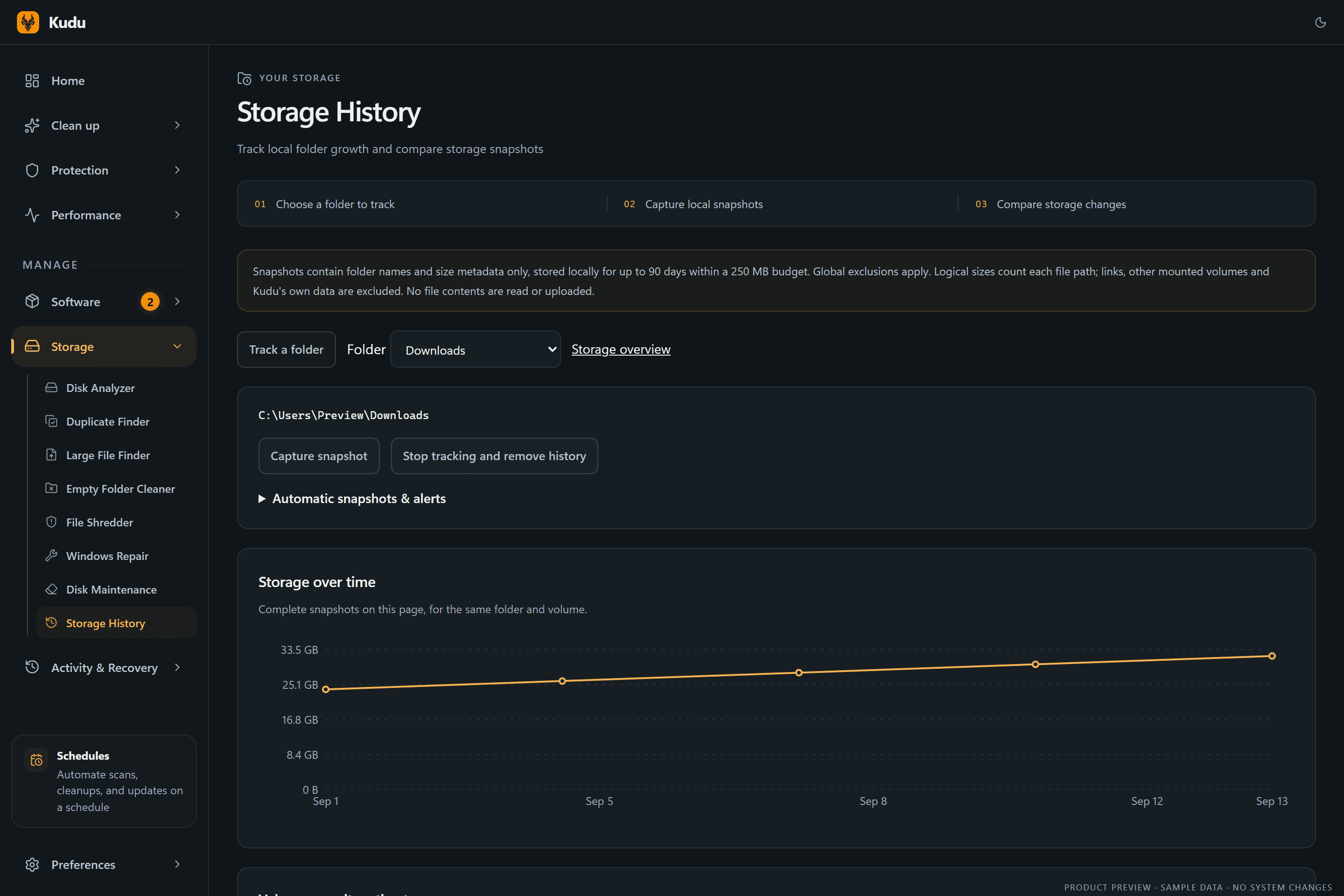
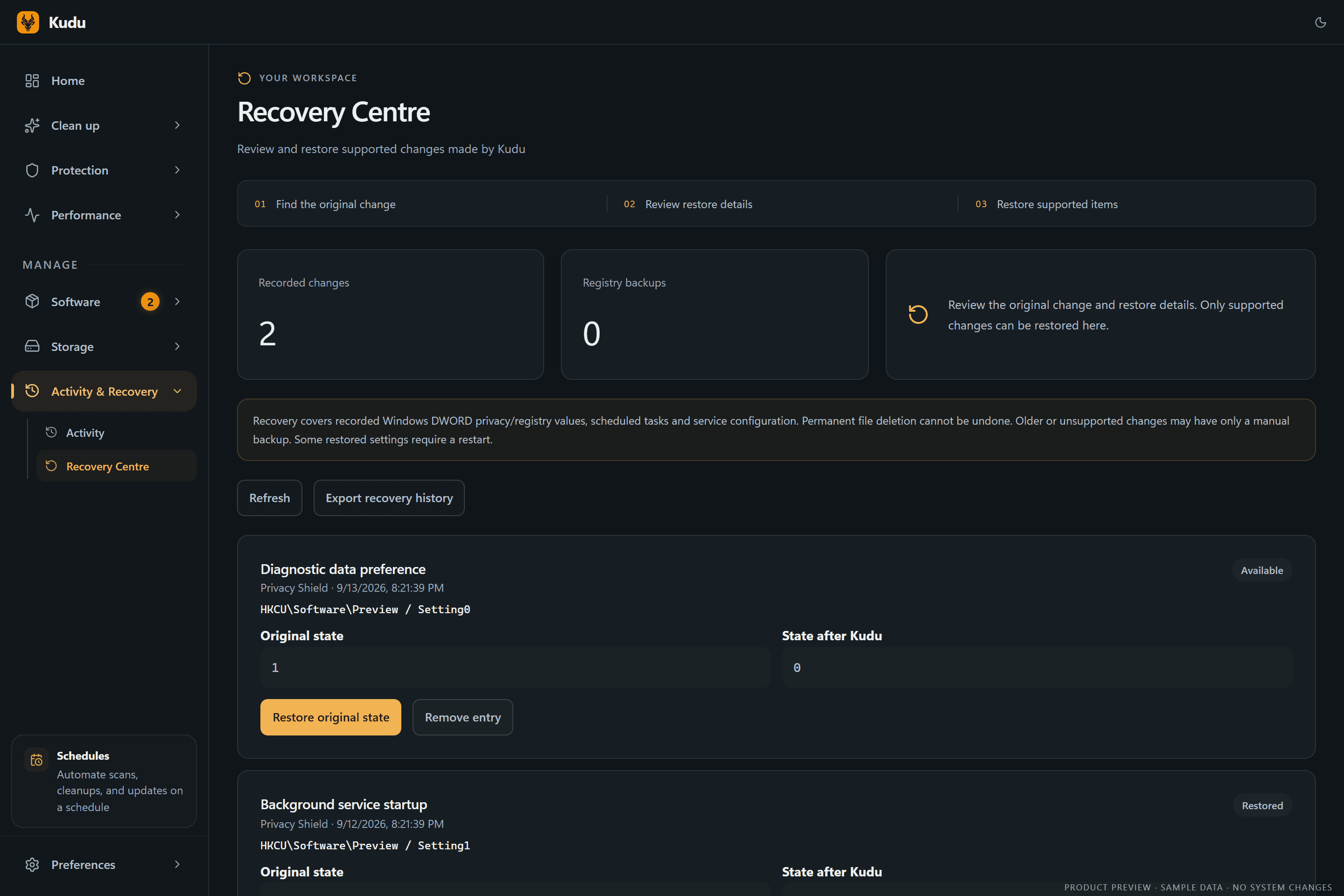
Every cleanup now leaves a receipt, storage snapshots show where space went over time, and the Recovery Centre keeps a record of the settings Kudu touched.
Cleanup Receipts
See what was selected, removed, skipped, or failed after a cleanup, with a clear record of the result.
Storage History
Track folder growth over time, compare snapshots, and catch storage changes before your drive fills up.
Recovery Centre
Find supported recovery records in one place, inspect what changed, and restore eligible settings when you need to.
Performance Diagnostics
Record a slow moment, inspect the timeline, and request an AI analysis to help investigate what happened.
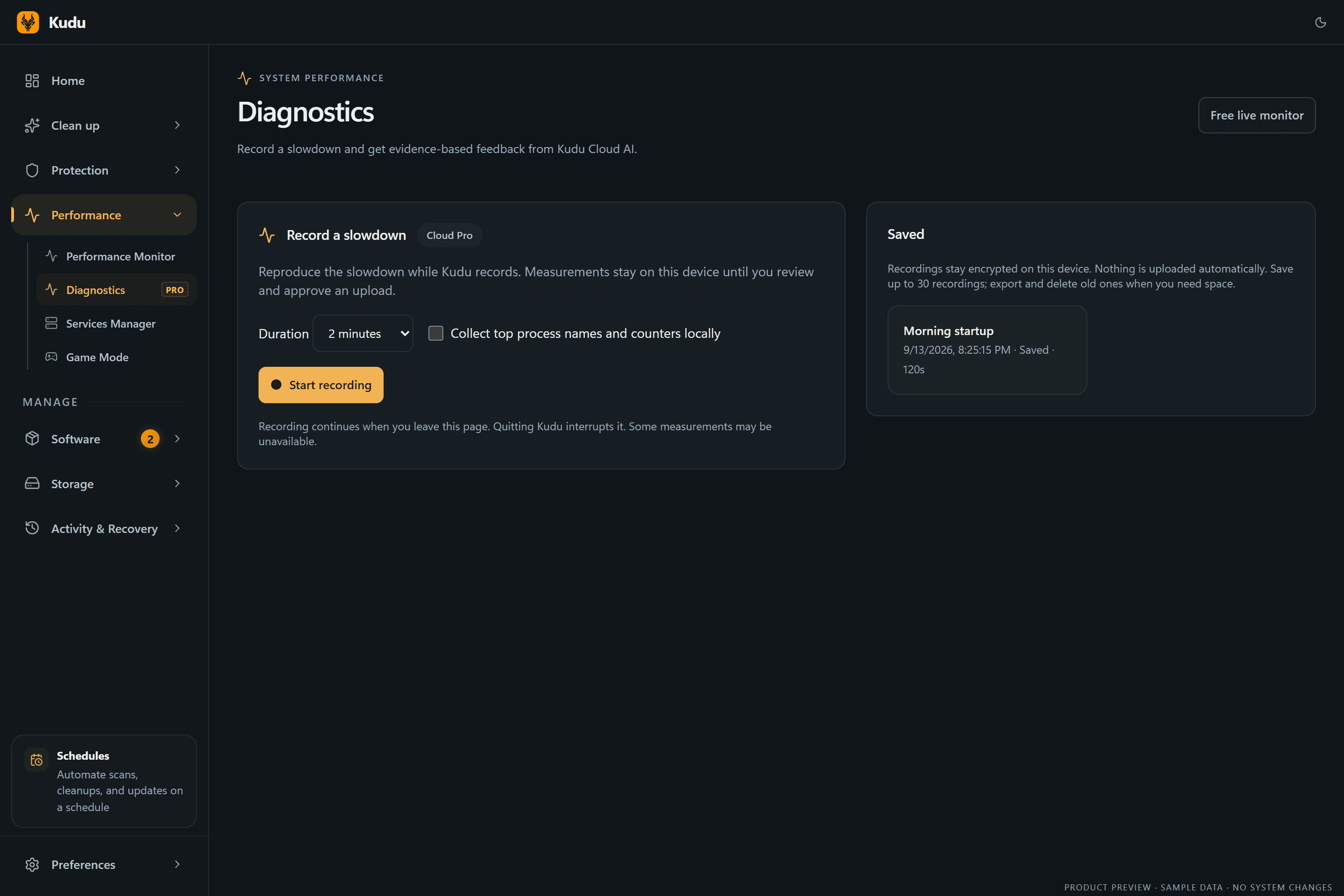
Kudu 3.0 screenshots · Dark theme · Illustrative sample data
Explore all desktop features →Privacy
Scans run on your machine. Nothing is uploaded unless you link Cloud.
- Runs on your machine
- Scans and cleanups happen locally. Nothing leaves your computer unless you choose to link Kudu Cloud.
- Open source, MIT licensed
- Every line is public on GitHub. Cleaner rules are readable JSON, not a black box.
- Scanned before it ships
- Each release links its VirusTotal results in the release notes, so you can check before you install.
- Review first, undo later
- Preview every cleanup, keep exclusions, and restore supported settings from the Recovery Centre.
There’s a CLI
Script it with --json, schedule it with cron, or scrape it with Prometheus. Illustrative output.
winget install AdventDevelopmentInc.KuduWhat reviewers said
Excerpts from independent reviews. Follow the links for the full text.
“Kudu is a modern take on system maintenance. The program goes very in-depth when it comes to cleanup and system maintenance tasks, as evidenced by its well-rounded toolset. Despite the many options at your disposal, Kudu is not at all confusing to work with, making it a viable choice even for a less knowledgeable user.”
“Kudu will help boost your system's performance and enhance security, reclaim valuable disk space by pinpointing and eliminating unnecessary files.”
“After testing Kudu across two Windows 11 machines over several days, we found it to be one of the most trustworthy free maintenance tools available in 2026.”
“Kudu makes a very strong impression. The interface is clean, the tools are numerous and well thought out, the privacy policy is transparent, and the business model is sound. On paper, it's exactly what many users have been looking for as an alternative to CCleaner.”
Who helps fund Kudu
Kudu is free and open source. Our sponsors help keep development moving and the desktop app free for everyone.


| Compare features | Kudu | CCleaner | Avast Cleanup |
|---|---|---|---|
| Pricing & Licensing | |||
| Price | Free | $29.95/yr | $39.99/yr |
| Open source | |||
| No ads or bundled software | |||
| Platform Support | |||
| Windows | |||
| macOS | |||
| Linux | |||
| Features | |||
| System cleaner | |||
| Browser cleaner | |||
| Registry cleaner | |||
| Malware scanner | |||
| Startup manager | |||
| Debloater | |||
| Driver manager | |||
| Privacy shield | |||
| Game mode (gaming optimizer) | |||
| Task scheduler | |||
| CLI mode | |||
| Remote monitoring & alerts | Optional | ||
| Pricing & Licensing | |
|---|---|
| Price | Free |
| Open source | |
| No ads or bundled software | |
| Platform Support | |
| Windows | |
| macOS | |
| Linux | |
| Features | |
| System cleaner | |
| Browser cleaner | |
| Registry cleaner | |
| Malware scanner | |
| Startup manager | |
| Debloater | |
| Driver manager | |
| Privacy shield | |
| Game mode (gaming optimizer) | |
| Task scheduler | |
| CLI mode | |
| Remote monitoring & alerts | Optional |
| Pricing & Licensing | |
|---|---|
| Price | $29.95/yr |
| Open source | |
| No ads or bundled software | |
| Platform Support | |
| Windows | |
| macOS | |
| Linux | |
| Features | |
| System cleaner | |
| Browser cleaner | |
| Registry cleaner | |
| Malware scanner | |
| Startup manager | |
| Debloater | |
| Driver manager | |
| Privacy shield | |
| Game mode (gaming optimizer) | |
| Task scheduler | |
| CLI mode | |
| Remote monitoring & alerts | |
| Pricing & Licensing | |
|---|---|
| Price | $39.99/yr |
| Open source | |
| No ads or bundled software | |
| Platform Support | |
| Windows | |
| macOS | |
| Linux | |
| Features | |
| System cleaner | |
| Browser cleaner | |
| Registry cleaner | |
| Malware scanner | |
| Startup manager | |
| Debloater | |
| Driver manager | |
| Privacy shield | |
| Game mode (gaming optimizer) | |
| Task scheduler | |
| CLI mode | |
| Remote monitoring & alerts | |
Questions
Try it on your own machine.
Free for Windows, macOS, and Linux. No account, no ads.